
What does it mean:
Overpowered is something that gives certain buffs, has high damage or something that enables you to become invincible.
Adding a mod that has items like: baubles, artifacts, wings or mounts can be considered overpowered if left unedited.
Having overpowered weapons, amulets or even armours is okay!
For example:
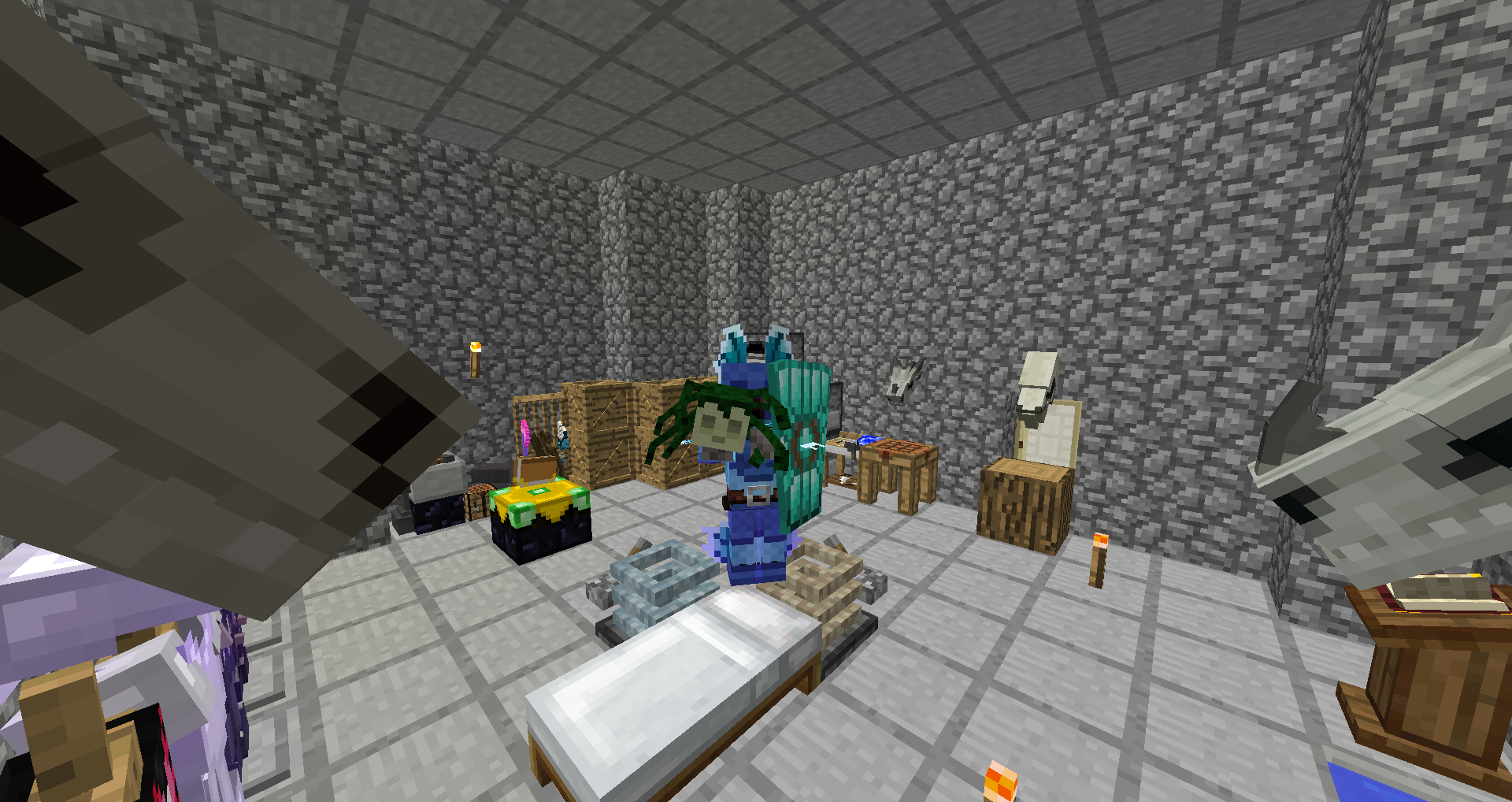 |
| Screenshot from my world... |
From the mod Ice and Fire. When a gorgon is killed it will drop it's head while the body will fall and start to spew out blood. Found in a temple under the first floor.
I'd say the hardness to kill one is 4/10 as you only neeed a shield, a sword and to wear a blindfold or else you'll become a stone..
 |
| Dragon scale armour... |
While it may sound easy to slaughter a dragon it is not at all....
Dragon scale armour (in RLCraft) is an early great armour to have as it provides well (amazing aesthetics) and a good way of protection against mobs and mainly dragons.
But firstly you will need to find one and defeat one....
Dragons can be from stage 1 (small) I think up to 5 (massive).
These 2 examples of an item and armour may sound overpowered as with one you can turn:
-players
-mobs
-dragons into stone but for one time only.
And with the dragon armour you have more protection in comparison to a full set of diamond armour but you need to kill one successfully...
Overpowered items (weapons, armour, amulets,other) need one thing either a complete removal of being able to craft them and adding them as rare mob drops or a difficult crafting recipe.
For those of you who have played even a little of RLCraft you know what overpowered and difficult means as it is a great example of leveling, mob killing and weapon,armour upgrading....
More on future posts!
Dragon scale armour (in RLCraft) is an early great armour to have as it provides well (amazing aesthetics) and a good way of protection against mobs and mainly dragons.
But firstly you will need to find one and defeat one....
Dragons can be from stage 1 (small) I think up to 5 (massive).
These 2 examples of an item and armour may sound overpowered as with one you can turn:
-players
-mobs
-dragons into stone but for one time only.
And with the dragon armour you have more protection in comparison to a full set of diamond armour but you need to kill one successfully...
Overpowered items (weapons, armour, amulets,other) need one thing either a complete removal of being able to craft them and adding them as rare mob drops or a difficult crafting recipe.
For those of you who have played even a little of RLCraft you know what overpowered and difficult means as it is a great example of leveling, mob killing and weapon,armour upgrading....
More on future posts!
Comments
Post a Comment